
Demo Systems
Watch sample workflows built for intake, tracking, alerts, and reporting.
See how scattered requests, manual follow-ups, and unclear ownership can become structured Microsoft 365 workflow systems.
Built with Microsoft Forms, Lists, Power Automate, Teams, and reporting views.




WORKFLOW SYSTEMS BUILT FOR REAL OPERATIONS PROBLEMS.

Work Request Intake & Status Tracking
Available Demo
Capture requests, assign ownership, track status, record updates, and notify the team automatically.Tools used: Microsoft forms, Lists, Power Automate, Teams
Best for: maintenance, facilities, service teams, internal operations.

Purchase Request & Approval Workflow
In Build
Submit purchase request, route approvals, record decisions, and keep request history in one place.Tools used: Microsoft forms, Lists, Power Automate, Outlook/Teams
Best for: purchasing, admin teams, operations teams, facilities

Shift Handoff and Operations Log
Capture shift notes, open issues, follow-ups, assigned actions, and team visibility between shifts.Tools used: Microsoft forms, Lists, Power Automate, Teams
Best for: facilities, data centers, maintenance teams, field operatons.
In Build
FEATURED DEMO
Work Request Intake & Status Tracking
A sample workflow showing how a request moves from intake to tracking, updates, sends alerts, and creates reporting, using automation.
What this demo shows:
✔ Structured request intake
✔ Central work request tracker
✔ Status and ownership visibility
✔ Technician update history
✔ Teams notification alerts
✔ Completed work & reporting view

Duration
~6 minutesSystem Type
Microsoft 365 Workflow
INSIDE THE DEMO SYSTEM
-
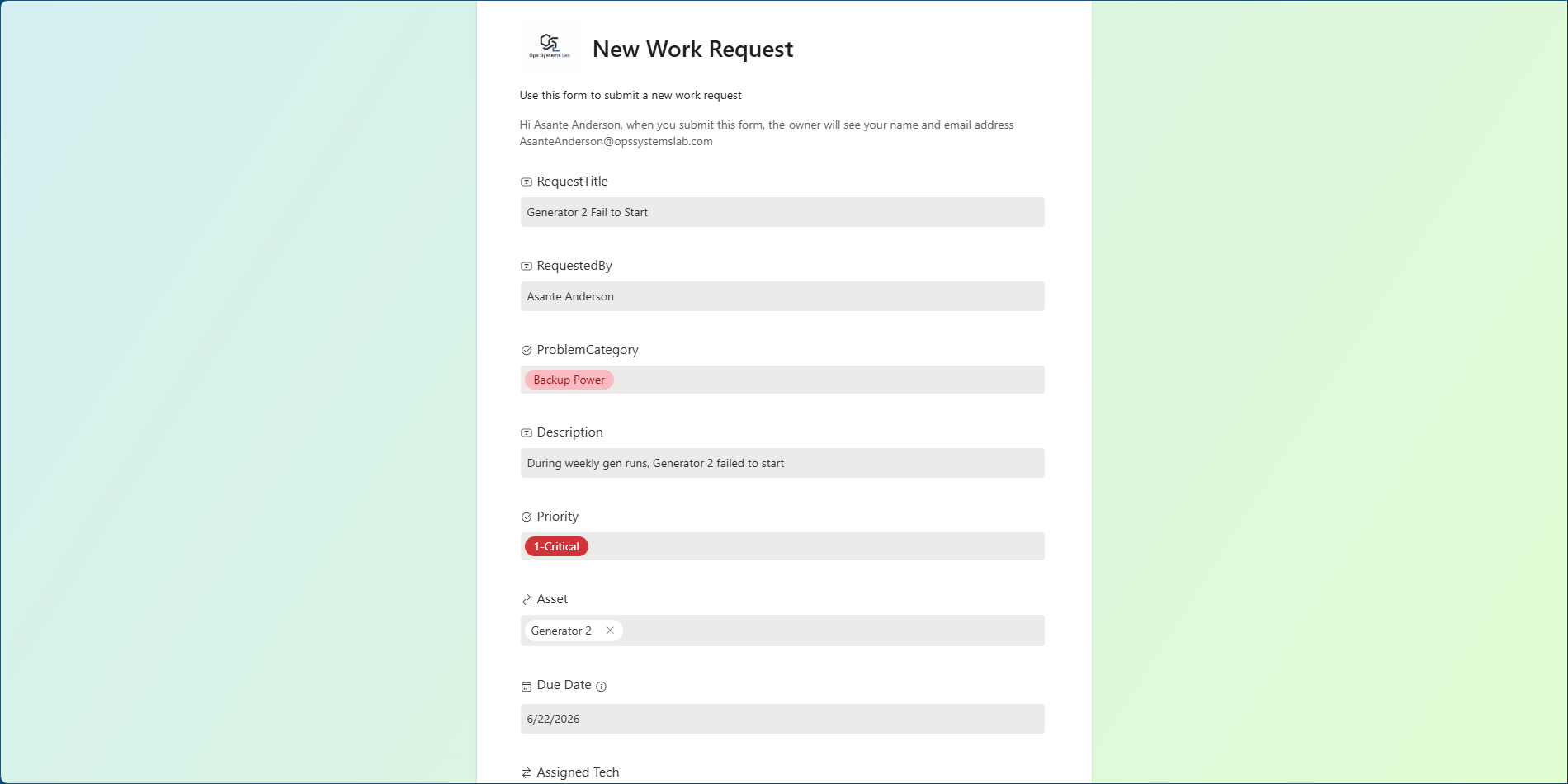
![Screenshot of a new work request form for generator failure, with details including request title, requester, problem category, description, priority, asset, due date, and assigned technician, displayed in a web interface with a green gradient background.]()
➊ Capture
Request details are submitted through a structured form.
-
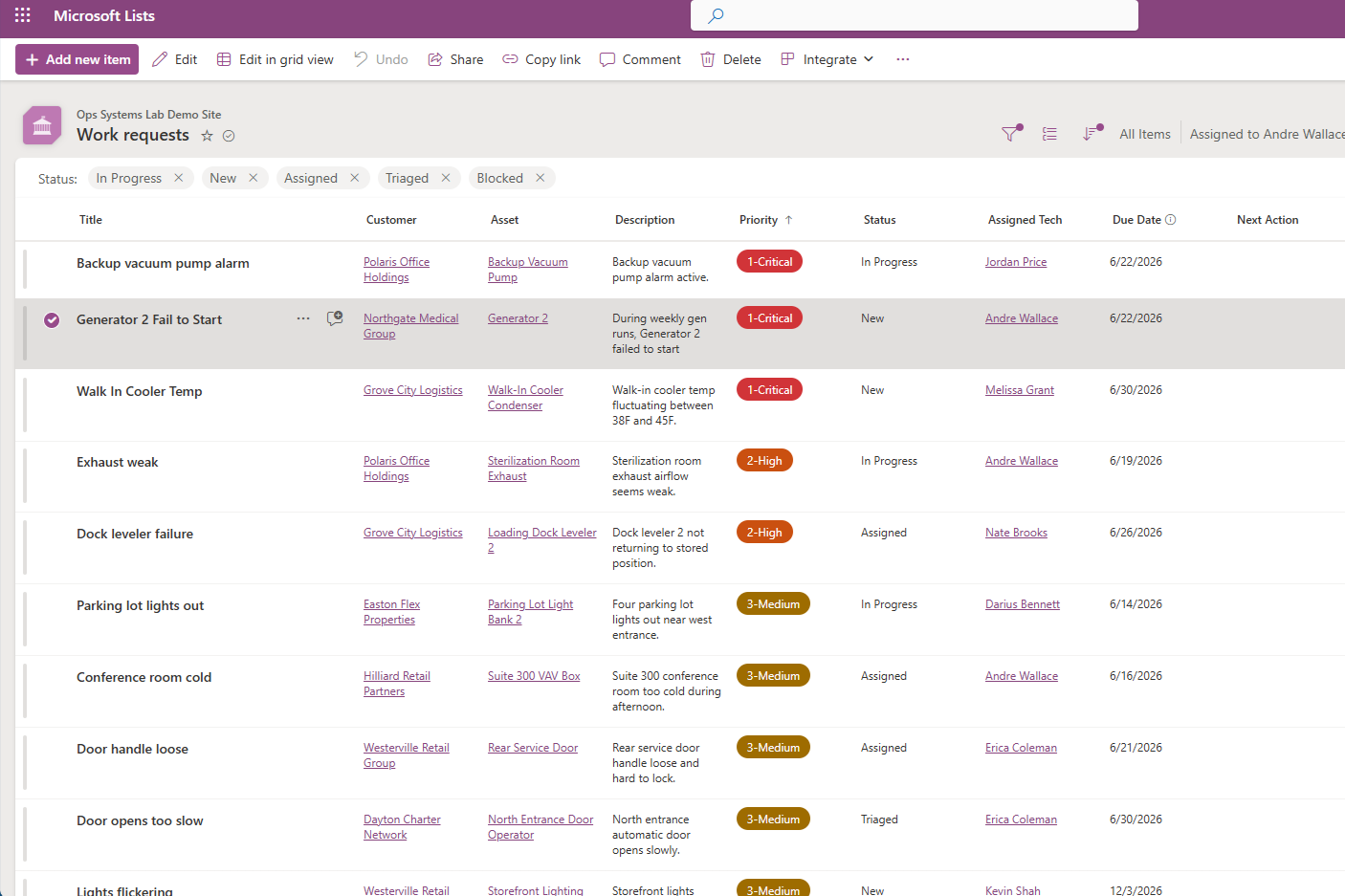
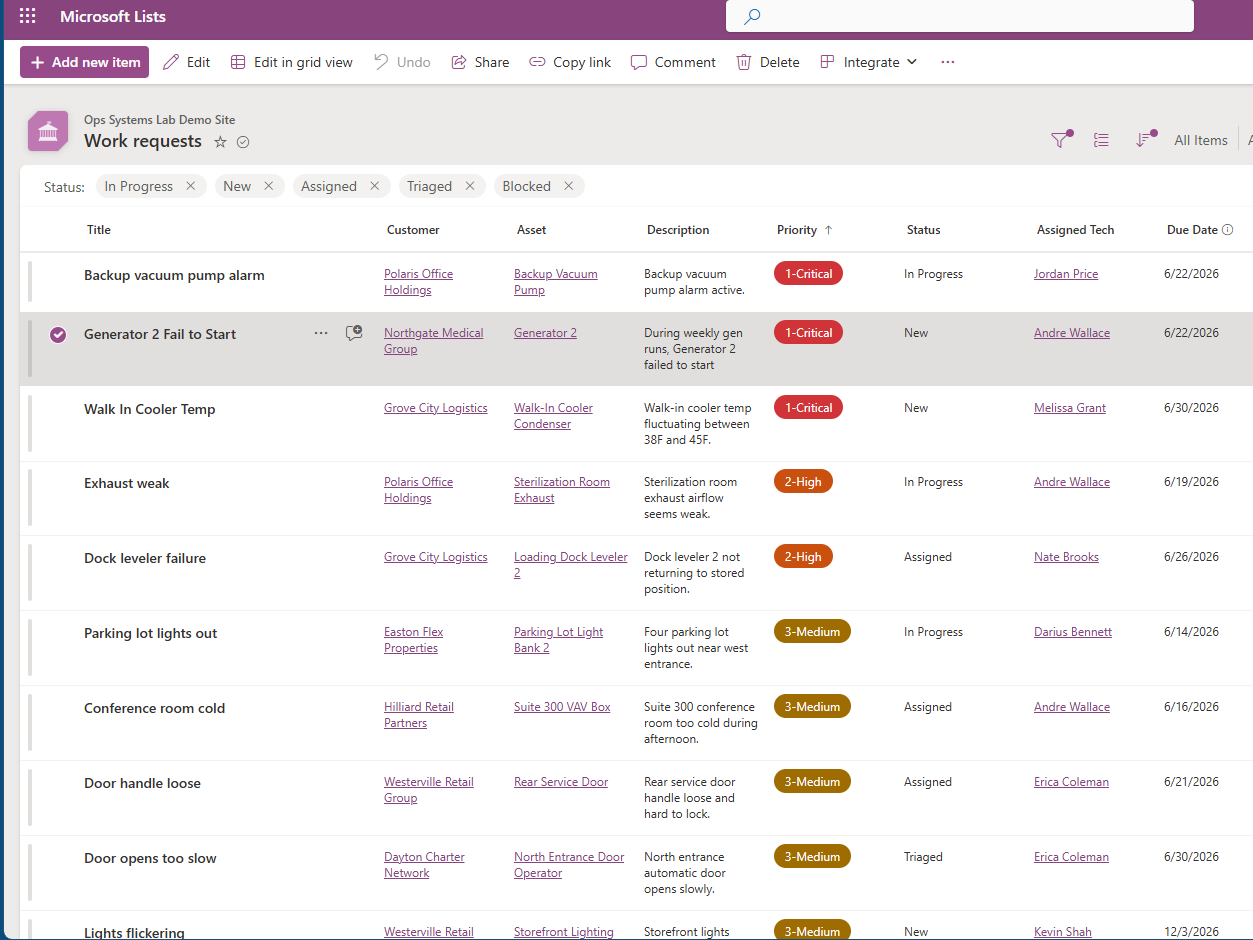
![Screenshot of a Microsoft Lists page titled 'Work requests' with various work items, status tags, priorities, and assigned technicians listed.]()
➋ Track
Work request land in a central tracker with status, owner, priority, and due date. -
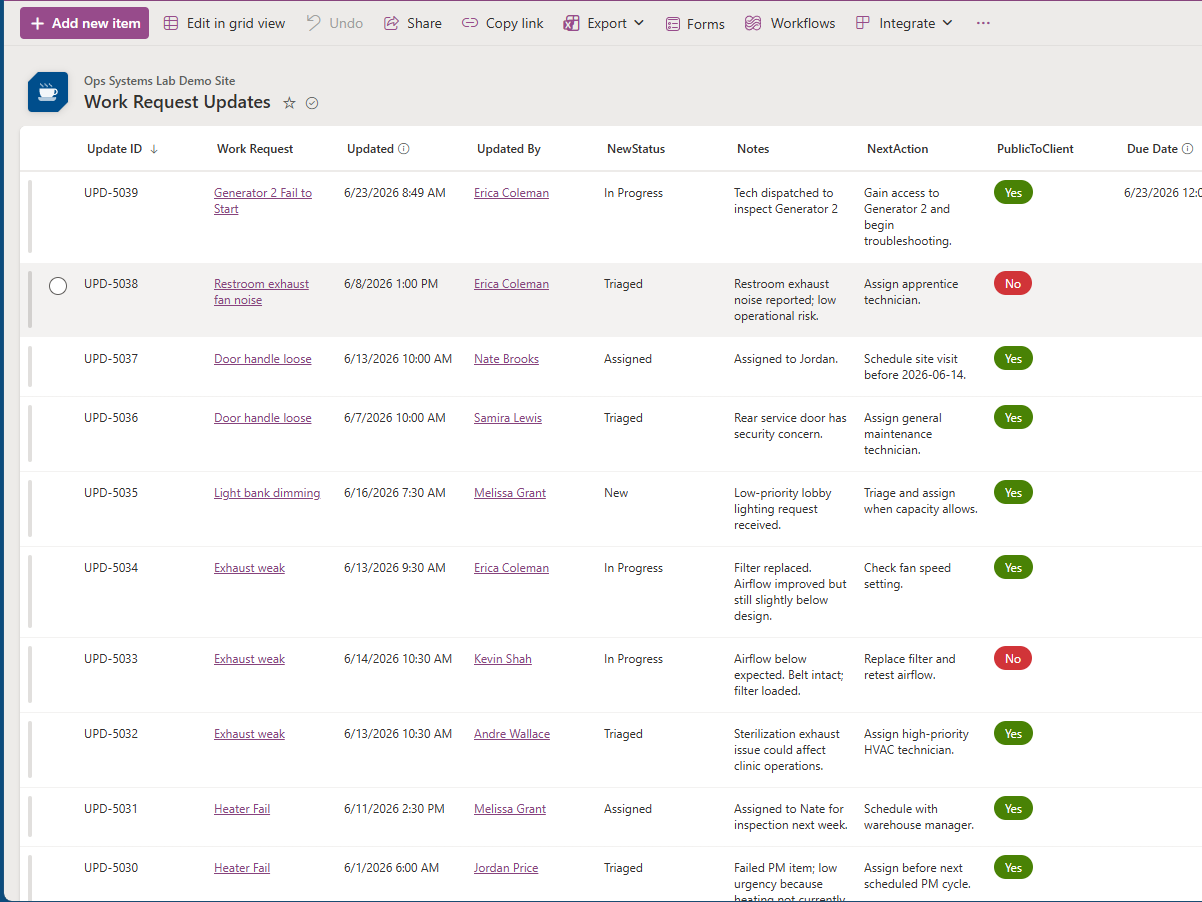
![A detailed work request tracking table showing request IDs, descriptions, update times, status, notes, next actions, clients, and due dates. Contains entries for generator, exhaust, door handle, light dimming, exhaust, heater issues, and more.]()
➌ Update
Technicians submit progress or completion updates without chasing email threads. -
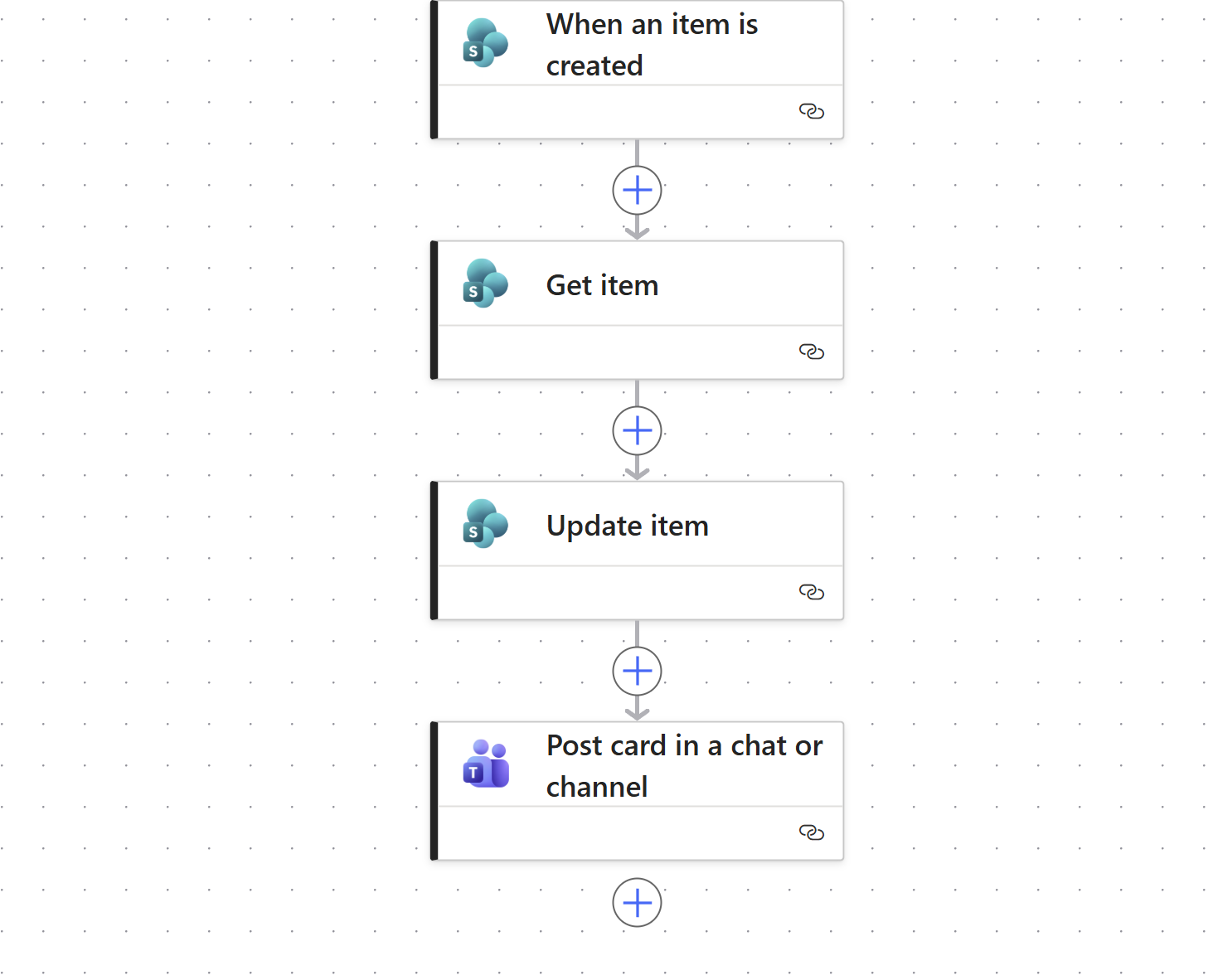
![A flowchart diagram with steps labeled 'When an item is created', 'Get item', 'Update item', and 'Post card in a chat or channel'. The steps are connected by arrows and each step has the SharePoint icon.]()
➍ Automate
Power Automate routes updates, changes status, and reduces manual follow-up. -
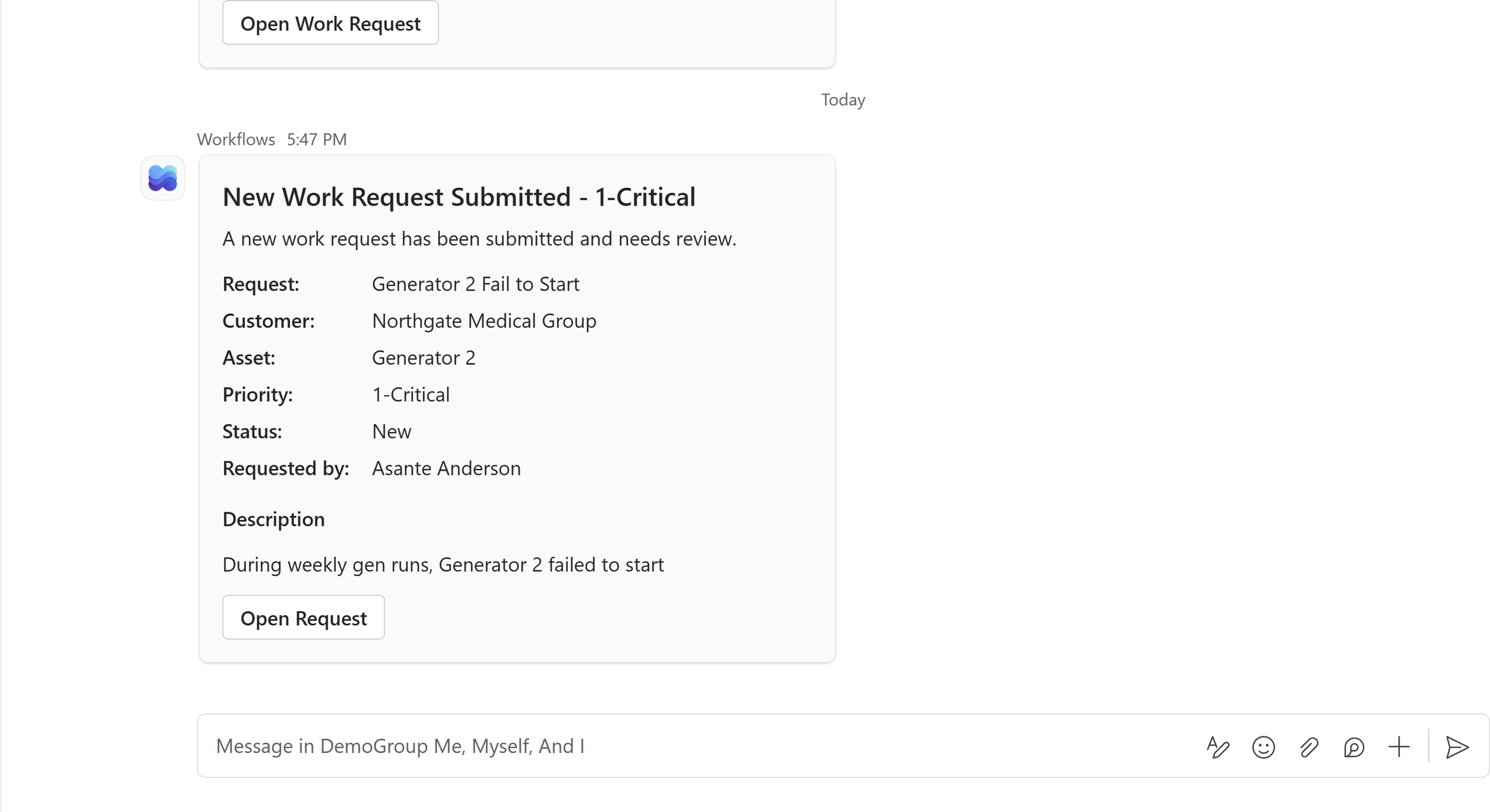
![A digital notification indicating a new critical work request submitted for review, from Northgate Medical Group, involving Generator 2 that failed to start during weekly gen runs, requested by Asante Anderson.]()
➎ Alert
Teams notifications keep the right people informed in real time.
-
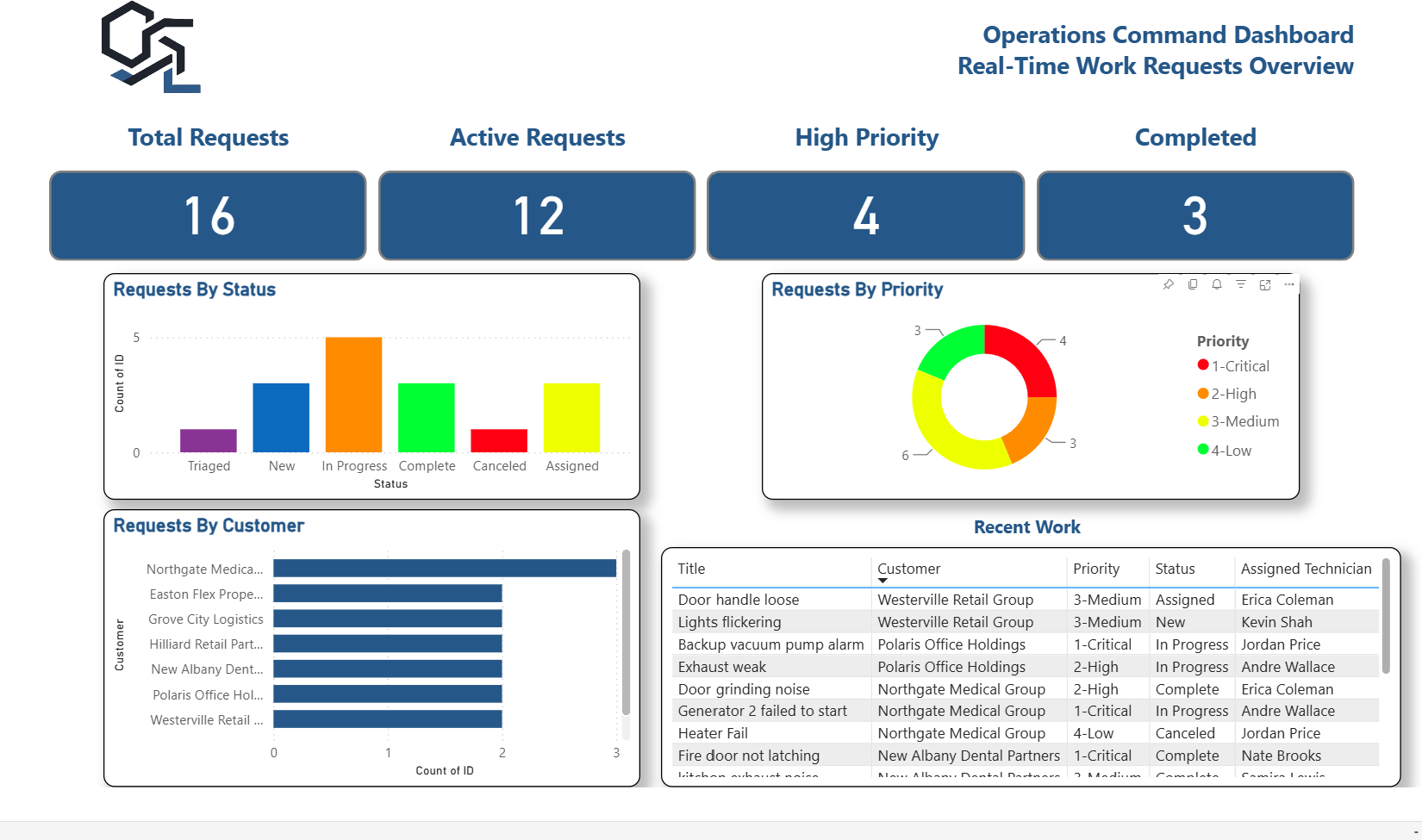
![Operations command dashboard displaying real-time work requests overview with total requests, active requests, high priority requests, and completed requests; includes charts of request status, requests by customer, and requests by priority; also shows recent work with details of title, customer, priority, status, and assigned technician.]()
➏ Report
Views and dashboards show what is open, late, complete, and trending.
WHAT THIS SYSTEM IMPROVES
Cleaner Intake
Request start with the right information, reducing back and forth.
Better Visibility
Managers can see what is open, assigned, late, and completed.
Less Manual Follow-Up
Automated updates reduce chasing and status checking across teams.
Stronger Accountability
Each request has ownership, status, and history from start to finish.
More Demo Systems In Build
Work Request Intake & Statues Tracking
Maintenance, service, facilities, operations
Available Demo
Purchase Request & Approval Workflow
Purchasing, approvals, admin operations
In Build
Coming Soon
Shift Handover & Operations Log
Shift teams, facilities, data centers, field operations
In Build
Coming Soon
Want a workflow like this built around your process?
Start with one broken workflow. We’ll review how it works today, identify the bottlenecks, and show what a cleaner Microsoft 365 workflow could look alike.
Best fit for teams using Microsoft 365, Teams, Outlook, Excel, SharePoint, or similar tools.